Falcata Run

Falcata Run

Your sprint.
Explained.

You crossed the line. Now find out why. From the 40-yard dash to the 100m to breakaway speed on the pitch — reaction time, drive force, stride rate, and ground contact time land on your wrist, every rep, automatically. No Apple Watch? Run the session live from your iPhone, or log it after practice in seconds. It all lands in one training log.

Download on the App Store

iOS 17+ · Apple Watch optional (Series 4+)

No ads · No subscriptions Data stays on your device Works with or without Apple Watch
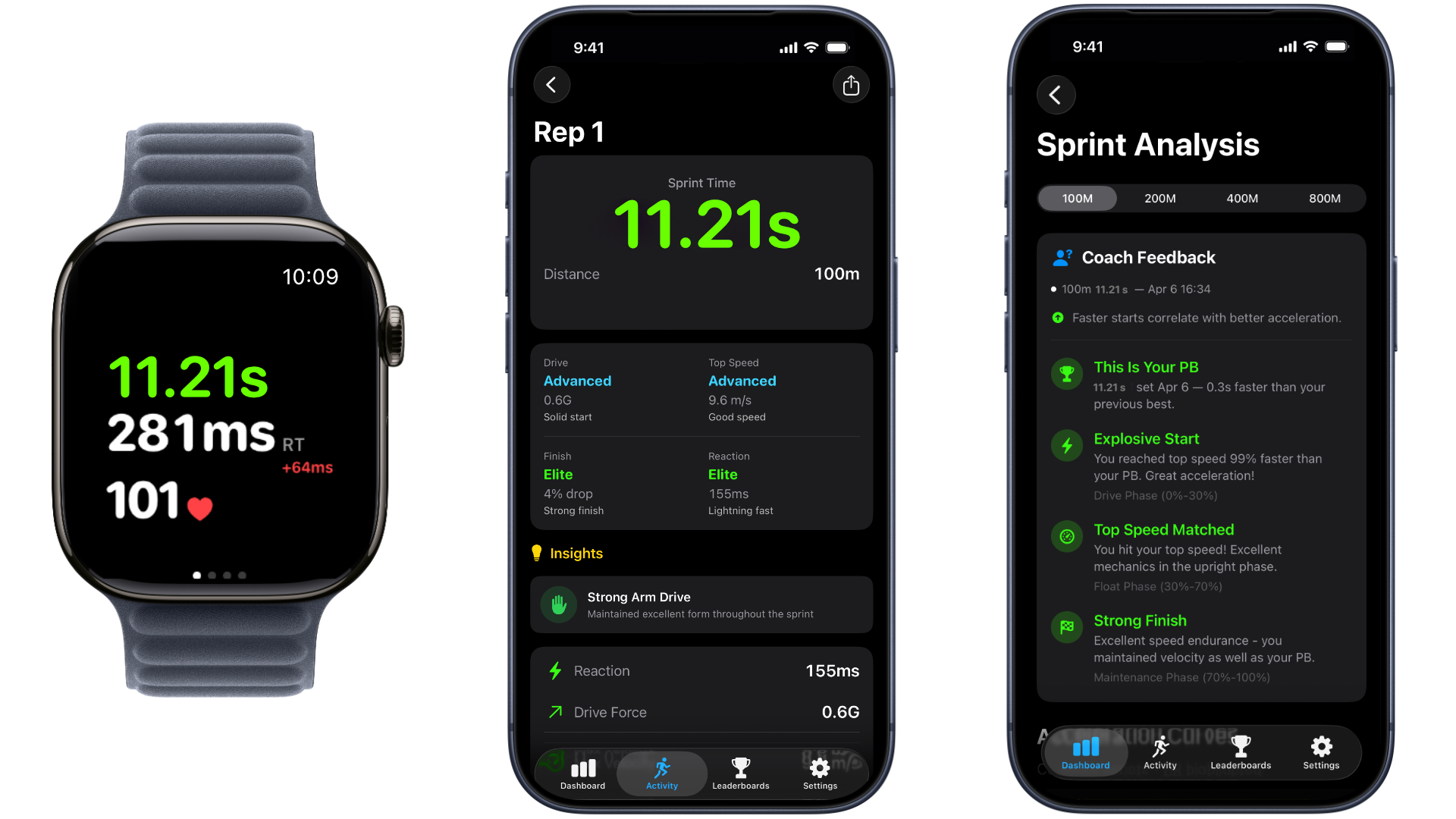
You just ran 11.21s.
But why?

You crossed the line. Someone called out 11.21. You walked back to your mark — blocks, a 3-point stance, whatever got you moving — with no idea whether your start cost you, your drive broke down, or you just faded. Falcata tells you exactly what happened — before you catch your breath.

Record on the wrist.
Review on the turf. Diagnose at the desk.

One sprint flows across every Falcata platform — captured raw on the Watch, read instantly on the phone, dissected frame-by-frame on the Mac.

Step 1 · Record

Leave your phone at the line.

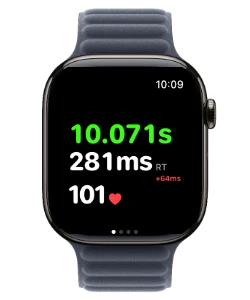
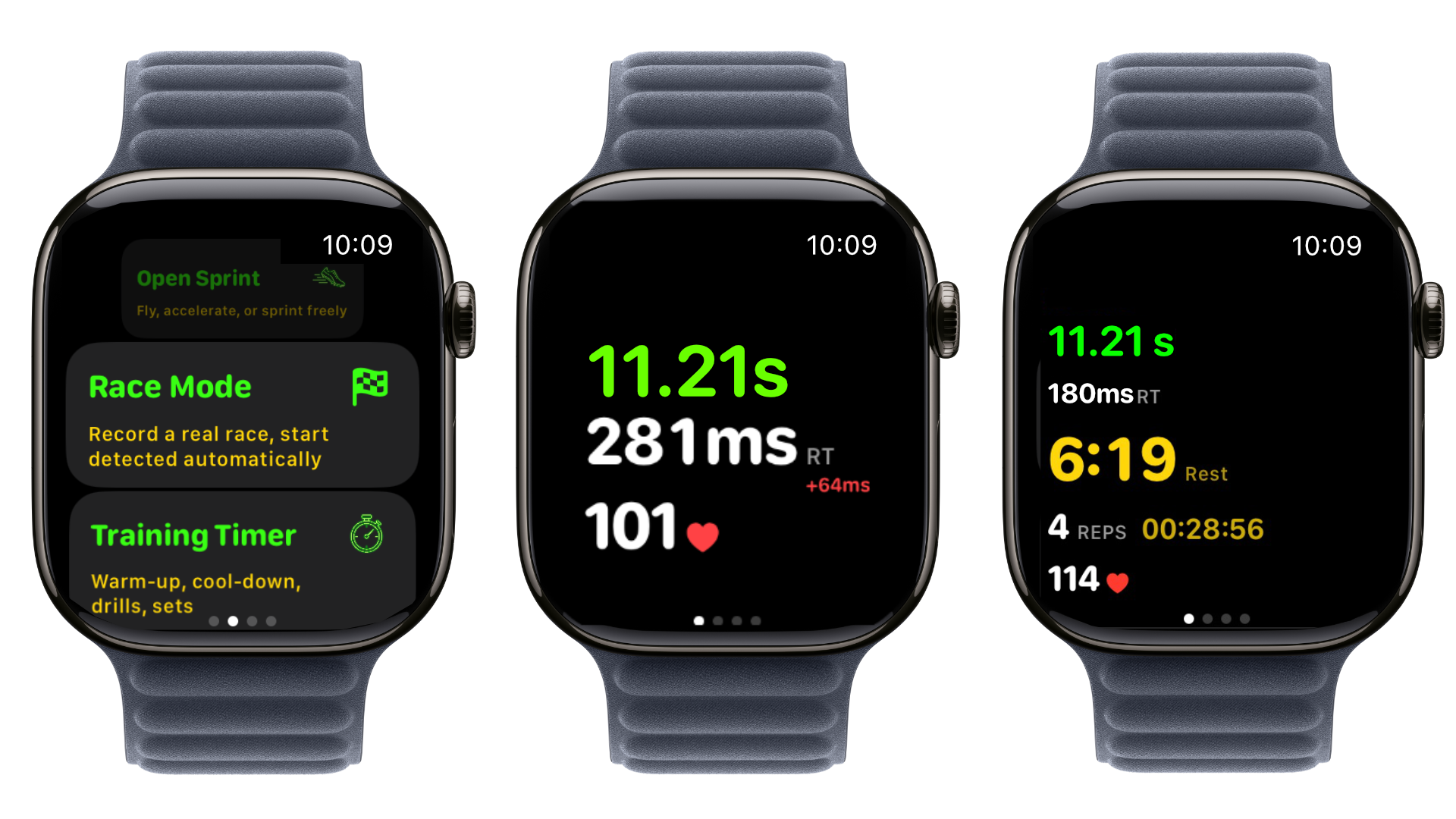
Pick Race Mode and run. Your time, reaction, drive force, and heart rate land on your wrist the instant you cross the line — no phone to carry, no coach at the finish, no stopwatch. Just you and the clock.

Falcata Run on Apple Watch showing Race Mode and Training Timer options Falcata Run on Apple Watch showing a 10.071s sprint result with 281ms reaction time and heart rate
Step 2 · Review

Your numbers before you catch your breath.

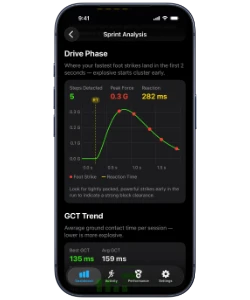
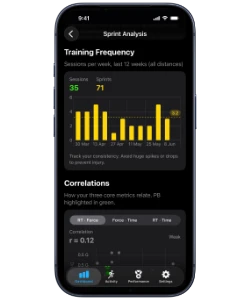
Walk back to your mark and look down. Your stride rate, top speed, and drive breakdown are already on your phone. See how this rep compares to your last one — and your best one.

See your own data. Download on the App Store
Falcata Run on iPhone showing Sprint Analysis drive-phase graph and Ground Contact Time trend Falcata Run on iPhone showing training frequency over 12 weeks and metric correlations
Step 3 · Advanced diagnostics

Bring your sprint session to the big screen.

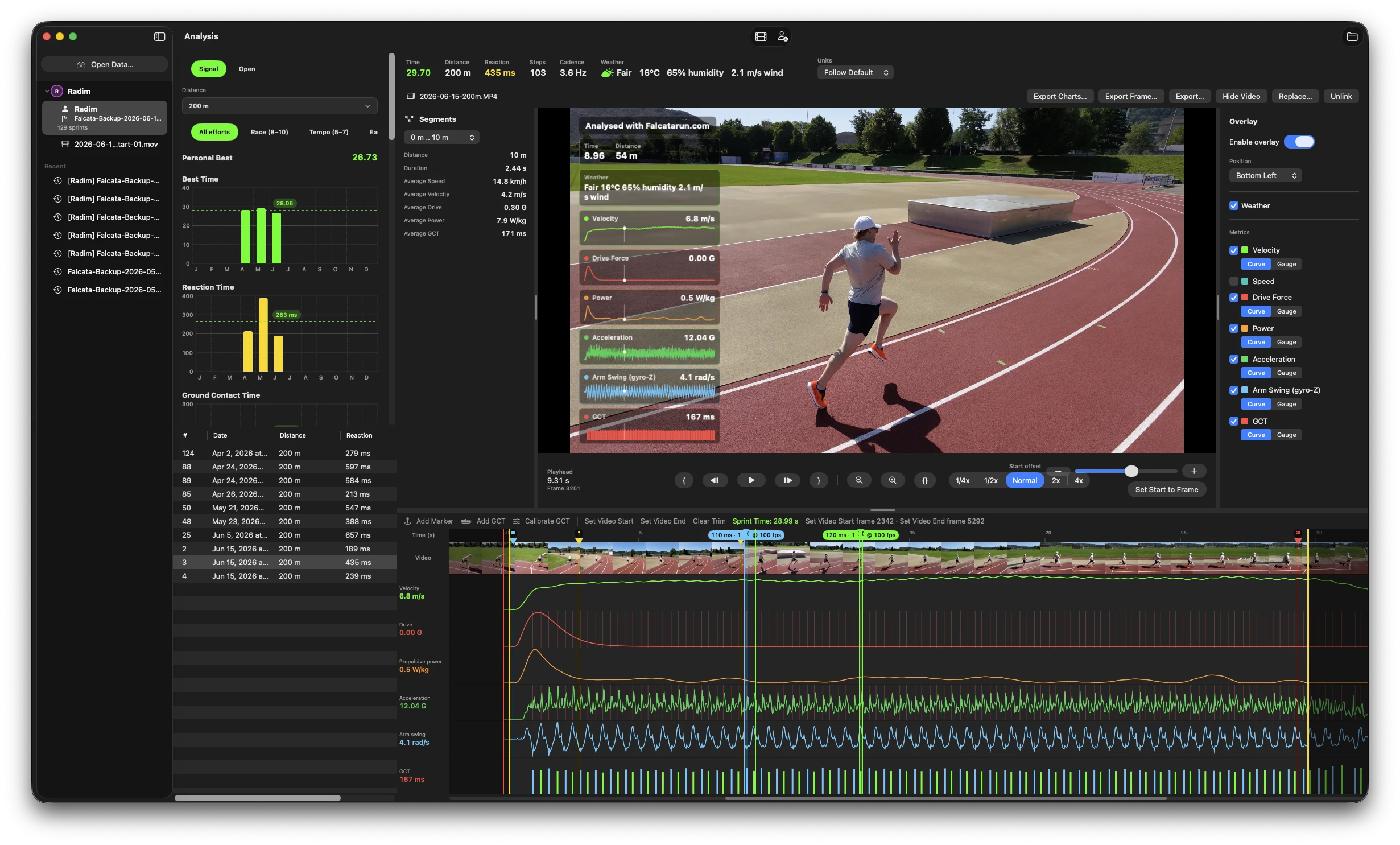
Open your sprint in Falcata Analyzer for Mac. Scrub through every moment of your run, overlay your speed and force data on your own video, and pinpoint exactly where the milliseconds are hiding.

Download Falcata Analyzer for Mac ↗
Falcata Analyzer on macOS with a sprinter mid-stride and a live telemetry overlay above synchronized signal lanes

After every rep,
you see this.

Every rep reveals what to fix, what to keep, and how to get faster through the season.

Reaction Time 187ms

How fast you explode off the line after "GO." Under 200 milliseconds? That's elite.

Drive Force 0.7G

How hard you're driving off your mark. The higher the number, the more explosive your start.

Arm Drive Focus 91%

Are your arms driving you forward — or wasting energy side to side? Above 90% means peak efficiency.

Step Frequency 4.5Hz

Steps per second. Elite sprinters hit 4.5 Hz and above. Track yours rep by rep and watch it climb.

Stride Length 2.14m

How much ground you cover with each step. Step frequency × stride length = your speed. Both have to grow.

Ground Contact Time 110ms

How long each foot stays on the ground. Less contact time means more time in the air — and faster between strides.

Five modes for
every part of practice.

From the start line to the cool-down. With the Apple Watch on your wrist, every mode detects your finish automatically.

Training

Signal Sprint

Settle into your stance — blocks, 3-point, or standing tall — and ride the countdown, then fire on the sound and haptic "gun." Run your rep out — the watch detects your finish on its own.

Quick reps

Open Sprint

No distance, no setup — just sprint. Tap once and go; the watch catches your finish the instant you slow down. Perfect for fly-ins and fast reps.

Race Day

Race Mode

Arm the watch, get to your mark — blocks, 3-point stance, or standing — and break on the starter's gun. Start and finish are both detected automatically — zero buttons mid-run.

Warm-up & recovery

Jogging Mode

Warm-up laps, recovery jogs, and easy miles — tracked cleanly with heart rate and duration, without sprint analysis getting in the way.

Drills & timing

Training Timer

Own your warm-up, drills, and cool-down. Time every set with heart rate and duration, so the whole session counts — not just the sprints.

Whatever you're training today — Download on the App Store

No Watch on your wrist?
Your session still counts.

Falcata Run is a complete training log on its own. Run the session live from your iPhone at practice, or log this morning's workout on the ride home. Every rep lands in the same history, the same trends, the same personal records.

At practice

Start a live workout

Leave your iPhone at the sideline and train. Between reps, log the sprint in a couple of taps — or hit Repeat Last Sprint and get back on the line.

  • Log each sprint as it happens — distance, time, notes
  • Training Timer for warm-up, drills, and recovery blocks
  • Heart rate and session time keep rolling in the background
  • Pause, resume, reorder — the log matches what you actually did
After practice

Log a finished session

Coach read your times off a stopwatch? Enter the whole session in under a minute and keep your season complete.

  • Sets × reps with distances, times, and recoveries
  • Hand-timed, electronic, or video — the timing method stays on the rep
  • Warm-up, drills, plyos, strength, and cooldown all count
  • Rate the effort and how you felt — it feeds your season view

Manual and Watch-recorded reps share one dashboard, one fastest-times list, one progress chart. Your PB doesn't care which tool timed it.

Ready to shave
the tenths?

Every rep, explained. On your wrist.

Download on the App Store

Get app updates and training tips.

Also in the Falcata ecosystem